Redis User Management
Starting with Redis 6.0, ACL (Access Control List) support was introduced, enabling multiple users and fine-grained permission control.
- Before Redis 6.0: there was only a single password (set via
requirepass) and no concept of users. - Redis 6.0+: a user named
defaultexists by default, and all unauthenticated connections belong to this user.
Creating Users and Permissions
First, enable ACL. You can either use a standalone ACL file or define it directly in redis.conf. The recommended approach is to use a standalone ACL file, which you point to by configuring the aclfile parameter in redis.conf.
# Enable ACL (enabled by default)
aclfile /etc/redis/users.acl   # Method 1: use a standalone ACL file (recommended)

# Or define directly in redis.conf (Method 2):
# Set the default user's password to "mypassword"
user default on >mypassword ~* &* +@all
Parameter reference:
on: enables the user>: sets a password (>means add a password)~*: allows access to all keys (key pattern)&*: allows access to all Pub/Sub channels (Redis 7.0+)+@all: grants permission for all commands
After modifying the ACL file, you must reload the ACL configuration for the changes to take effect.
# If you modified redis.conf
sudo systemctl restart redis

# Or dynamically load the ACL (if you use aclfile)
redis-cli ACL LOAD
Create an ACL user with the specified rules, or modify the rules of an existing user. Refer to the official documentation for details: ACL SETUSER.
ACL SETUSER username [rule [rule ...]]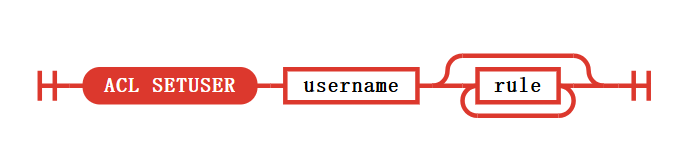
Change a user’s password dynamically:
# Connect to Redis (a password may not be required at this point)
redis-cli

# Set a password for the default user
127.0.0.1:6379> ACL SETUSER default on >mypassword ~* &* +@all
OK

# Verify
127.0.0.1:6379> AUTH mypassword
OK

# Persist the ACL config; without ACL SAVE the changes are lost after restart
127.0.0.1:6379> ACL SAVE
OK
Disable a specific user, using the default user as an example. Disabling the default user is not recommended — it would reject all connections that do not specify a user, so it is generally discouraged.
ACL SETUSER default offPermission list:
| Syntax | Meaning |
|---|---|
+command | allow a single command |
-command | deny a single command |
+@category | allow an entire command category (e.g. @read, @write, @admin) |
-@category | deny an entire category |
allcommands / +@all | allow all commands |
nocommands | deny all commands (default state) |
Common command categories:
@read: GET, MGET, HGETALL, KEYS…@write: SET, DEL, HSET, LPUSH…@admin: INFO, CONFIG, ACL, CLIENT…@dangerous: FLUSHALL, SHUTDOWN, DEBUG…
Key permissions:
~key_pattern: allow access to keys matching the glob patternallkeys/~*: allow all keysresetkeys: clear key permissions (back to no permission)
Reference documentation: